You search for your own business on Google Maps and it isn’t there. Or it shows up when you type your exact name, but disappears the moment you search “plumber near me.”
A business not showing up on Google Maps can mean either problem. They can feel the same, but they have very different causes and fixes.
This guide walks through how to tell which problem you have, the 9 common reasons a business goes missing on Maps, and how to fix each one. It’s written for home service businesses: plumbers, HVAC techs, mechanics, roofers, cleaners, and anyone who travels to customers.
Quick answer: A business not showing up on Google Maps is often missing for one of three reasons. The profile isn’t verified or is suspended, the profile setup is wrong (category, address, or service area), or the profile exists but doesn’t rank well enough to appear. Google says local results are mainly based on relevance, distance, and prominence, so improving visibility usually means working on more than one area.
TL;DR
- First, confirm whether you’re missing entirely or just ranking low. The fixes differ.
- Check verification, suspension status, and recent edits before anything else.
- Your primary category may be the biggest lever you control.
- Service-area businesses should hide their address and keep service areas realistic.
- If you show for your name but not service searches, it’s often a ranking problem: reviews, website pages, and consistent business info.
- Some fixes can work within days. Ranking gains often take months.
Business missing from Google Maps right now? If you would rather ask than read, message us on WhatsApp.
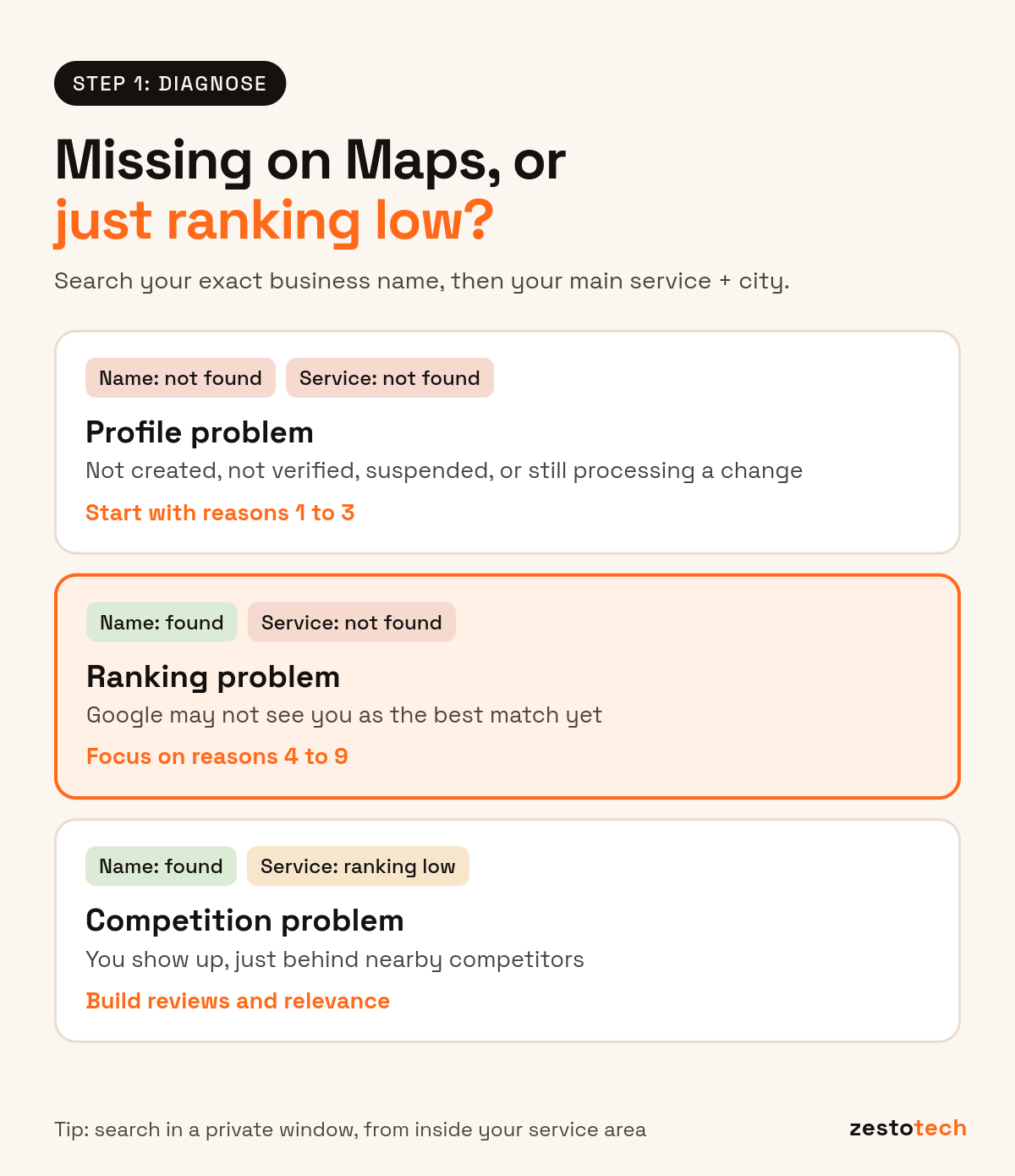
First, Check Whether You’re Actually Missing
Before changing anything on your profile, find out what kind of problem you have. A five-minute test can save weeks of fixing the wrong thing.
Run two searches on Google Maps:
- Your exact business name. Type it the way it appears on your profile.
- Your main service plus your city. For example, “mobile mechanic Edmonton” or “water heater repair Austin.”
Then read the results this way:
| What you see | What it likely means |
|---|---|
| Nothing for either search | A profile problem: not created, not verified, suspended, or still processing |
| You show for your name only | A ranking problem: Google likely knows you exist but may not see you as the best match yet |
| You show for both, just low | A competition problem: you’re in the race but behind nearby competitors |
A few testing tips:
- Use an incognito or private window so your own search history doesn’t skew results.
- Remember that results change based on where the searcher is standing. Searching from home can look very different from searching across town.
- Check both Google Maps and regular Google Search. The local pack (the map with three businesses at the top of search results) and the Maps app don’t always match.
If you don’t show up at all, start with reasons 1 to 3 below. If you show for your name but not your services, reasons 4 to 9 might be where the gains usually are.
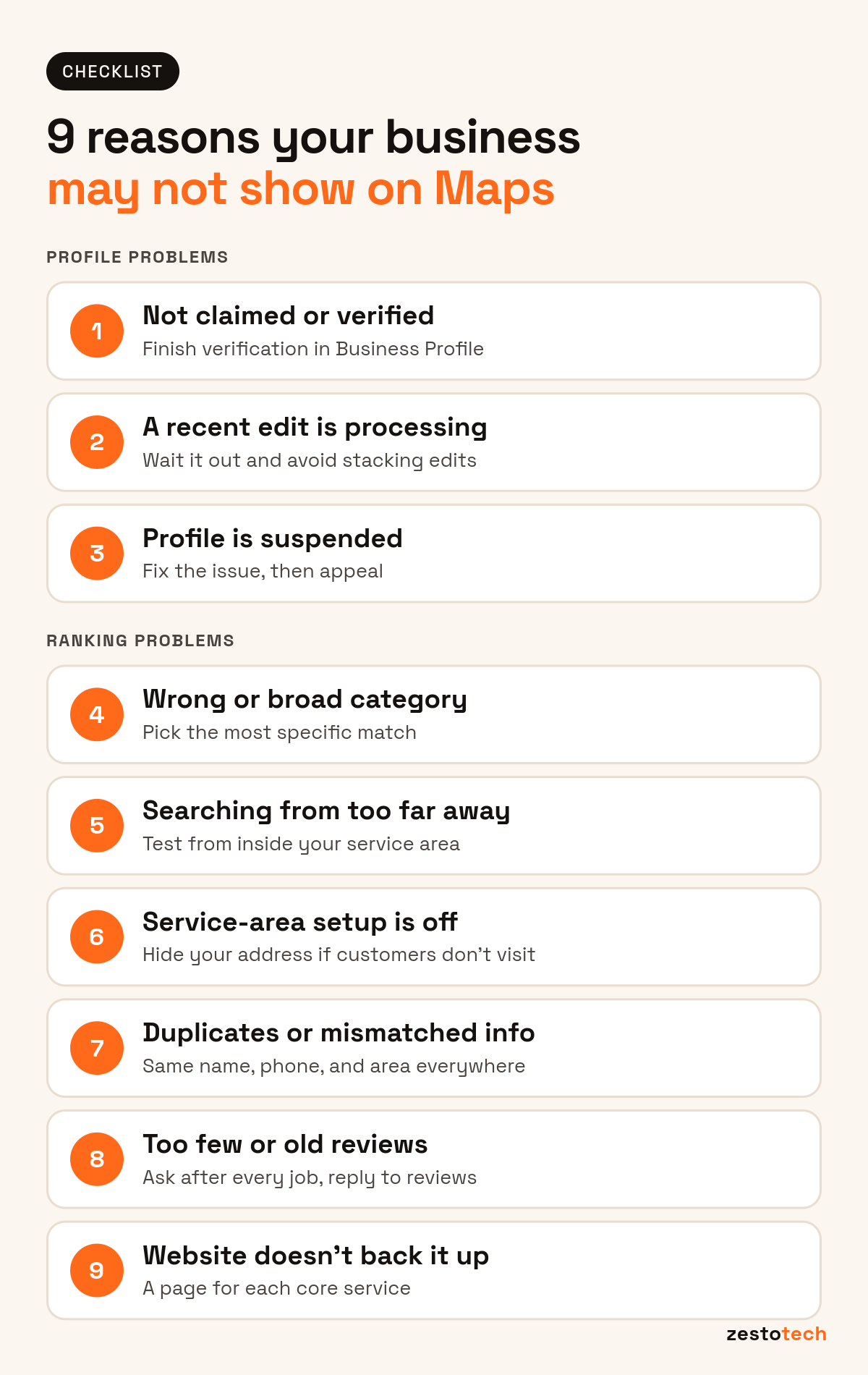
9 Reasons Your Business Isn’t Showing on Google Maps (and How to Fix Each One)
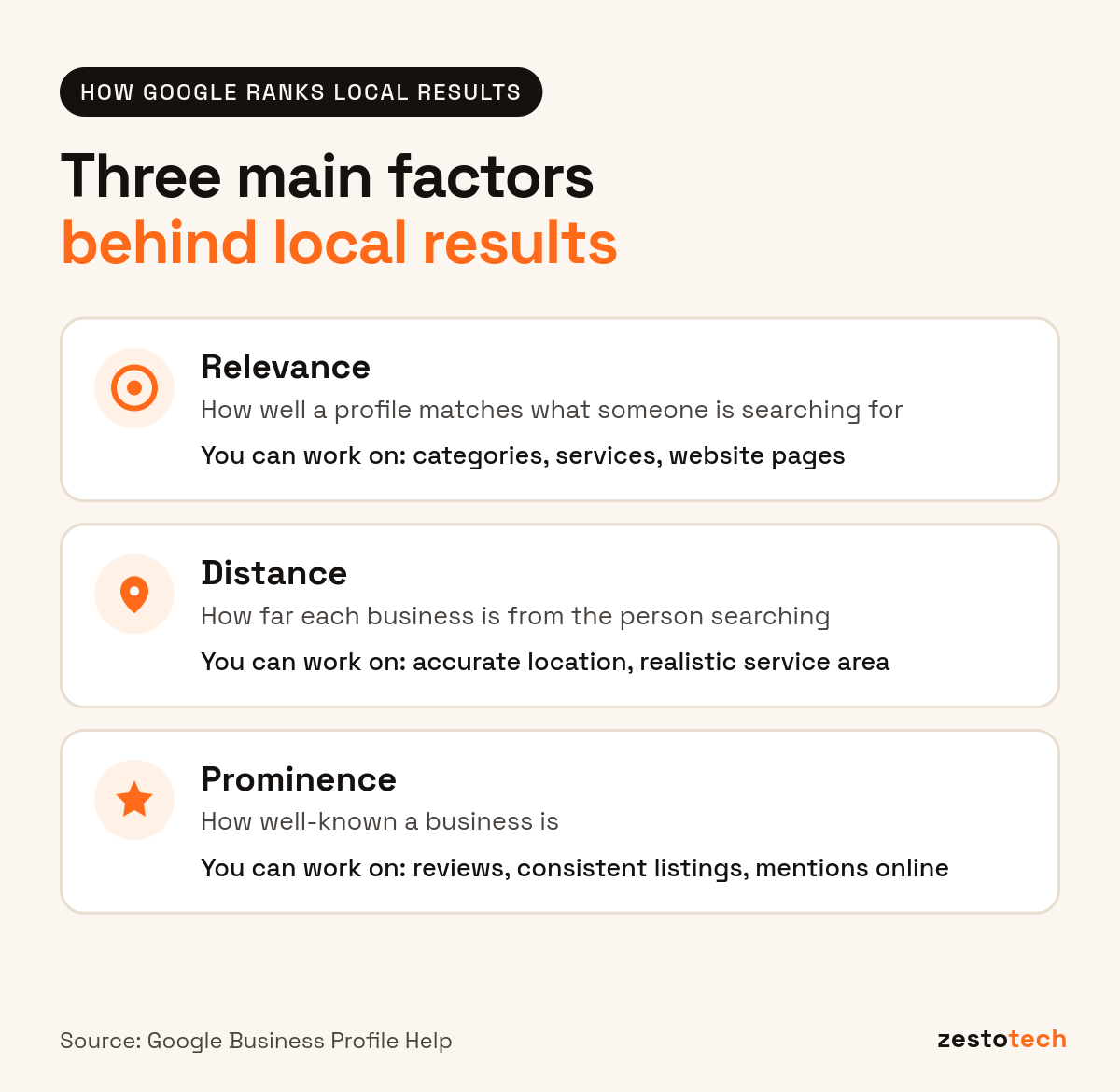
Google says local results are based mainly on three things: relevance, distance, and prominence (Google Business Profile Help). Each reason below affects one of those, or can keep your profile from appearing at all.
1. Your profile isn’t claimed or verified
Why it happens: Creating a profile isn’t the same as verifying it. An unverified profile may not appear on Maps at all.
How to check: Sign in to Google Business Profile and look for a verification prompt or a “Get verified” button.
How to fix: Complete verification using whichever method Google offers you. If Google asks for a video, its video verification guide asks service-area businesses to show the professional tools, equipment, or products they use, plus proof that they manage the business. Google says verification reviews can take up to 5 business days.
2. You made a recent change and it’s still processing
Why it happens: New profiles and changes to key details, like your name, address, or category, can go through review. While that happens, your profile may show the old details or be harder to find.
How to check: Look for “under review” or pending edit notices in your dashboard.
How to fix: Wait it out and avoid stacking more edits on top. Google’s verification help says that if it asks you to verify again, it’s likely because some business details were recently updated.
3. Your profile is suspended
Why it happens: Google says it may suspend profiles that don’t follow its guidelines. Guideline issues that can lead to suspension include extra keywords in the business name, a visible home address for a service-area business, a virtual office, or duplicate profiles.
How to check: Google’s appeals tool shows decisions on your profile, including the reason. Your profile may also disappear from Maps.
How to fix: Correct the issue first, then submit an appeal. Google lists supporting documents such as business registration, a business license, tax certificates, and utility bills. Google also says not to create a new Business Profile for the same business.
4. Your primary category is wrong or too broad
Why it happens: Your primary category tells Google what your business is. In Whitespark’s 2026 Local Search Ranking Factors survey, local SEO practitioners ranked primary category as the top factor for local pack and Maps rankings (Whitespark).
A garage door company listed under a broad category like “Contractor” instead of a more specific one can struggle to show for the searches that matter.
How to check: Search your top service in Maps and note the primary category of the top three results. Compare it to yours.
How to fix: Pick the most specific primary category that matches your main service. Then add secondary categories for other services you genuinely offer. Our Google Business Profile optimization guide walks through category selection step by step.
5. You’re searching from too far away
Why it happens: Distance is one of the three main factors Google names. A business 25 minutes away may not appear for a searcher who has several similar options nearby.
How to check: Search your service from a few spots inside your service area, or ask someone across town to search for you. A rank tracking grid tool can show this across a whole map.
How to fix: You can’t move your base, but you can strengthen relevance and prominence so Google is more willing to show you further out. Location-specific pages on your website and reviews that mention the areas you serve may help.
6. Your service-area setup is wrong
Why it happens: This one is especially relevant to home service businesses. Google’s guidelines say businesses that serve customers at the customer’s location should hide their address and set a service area instead (Google guidelines). Showing a home address, or listing a virtual office, can lead to suspension.
Another mistake is setting a service area that’s far too big. Google’s guidelines say the area you serve shouldn’t extend farther than about 2 hours of driving time from where your business is based. Listing a whole state or dozens of distant cities is unlikely to help you rank in them.
How to check: Open your profile’s settings. Is your address visible to customers? How many service areas are listed, and are they places you realistically serve?
How to fix:
- If customers don’t come to you, hide your address.
- Keep service areas to the cities and neighborhoods you actually work in most.
- If customers also visit you at a real location, you can show the address and add service areas. Google calls this a hybrid business and says the location should be staffed and able to receive customers during its stated hours.
7. Duplicate listings or inconsistent business info
Why it happens: Google says there should only be one profile per business, so duplicates can cause problems. Different phone numbers, old addresses, or name variations across directories may also make your details harder for Google to confirm.
How to check: Search your phone number and business name in Maps to spot duplicates. Then check how your name, address, and phone number appear on Yelp, Facebook, Apple Maps, Bing, and any industry directories.
How to fix: Find any duplicate profiles and ask Google to remove them through Business Profile support. Update directory listings so your business name, phone number, and service area match your Google profile.
8. Not enough reviews (or not recent ones)
Why it happens: Google says more reviews and positive ratings can help a business’s local ranking. If nearby competitors have far more reviews, they may have an edge.
How to check: Compare your review count, average rating, and the date of your latest review against the top three results for your main service.
How to fix: Ask every customer for a review, ideally right after the job. A short text with your direct review link can be easier for customers than a printed card. Reply to reviews, good or bad. Don’t buy reviews or offer rewards for them. Google’s policies don’t allow either, and violations can lead to removed reviews and restrictions on your profile.
9. Your website doesn’t back up your profile
Why it happens: Your profile links to your website, which can help customers, and possibly Google, understand what you do and where. A single-page site that barely mentions your services or cities gives Google little to work with.
How to check: Does your website have a separate page for each main service? Do your pages mention the areas you serve? Does your business name, phone number, and service area match your Google Business Profile?
How to fix: Build a dedicated page for each core service, with the city or region named naturally in the content. Link your Google profile to the most relevant page. If your site needs a rebuild, our web design service is built around this structure.
Not sure which of these fits your profile? Message us on WhatsApp and tell us what you are seeing.
“I Show Up for My Name, But Not for Service Searches”
This is a common version of the problem for home service businesses. Your profile is live and verified. Customers who already know you can find you. But someone searching “furnace repair near me” sees three competitors instead.
That gap often means Google can confirm you exist but doesn’t yet see you as the best answer for that search. Brand searches have one obvious match. Service searches have dozens of candidates, so relevance, distance, and prominence all get weighed.
What tends to close the gap:
- Category match. Your primary category lines up with the service people search most.
- Service pages. Each main service has its own page on your website.
- A focused service area. Cities and neighborhoods you actually work in, not a whole region.
- Steady reviews. New reviews coming in every month, ideally mentioning the service and the area.
- An active profile. Updated photos, posts, services, and answers to customer questions.
None of these work as a one-time switch. They build on each other over time, which is why this kind of visibility tends to grow in steps rather than overnight.
Example: An Alberta Mobile Mechanic
One of our clients is a mobile mechanic based in Alberta. The mechanic travels to customers, so there’s no shop for people to visit. That’s the exact setup where profile and ranking mistakes are easy to make.
We optimized their Google Business Profile, including a focused list of service areas covering their home city, nearby towns, and specific neighborhoods. We also built their website from scratch with dedicated service pages and kept the profile active with regular updates.
Five months in, the Google Business Profile recorded:
| Metric | Result, Dec 2025 to Apr 2026 | Year-over-year change |
|---|---|---|
| Direct calls from Google | 718 | +37.8% |

Results like these depend on the market, the competition, and how consistently the work is kept up. We can’t promise the same numbers for every business. What the example does show is how much a properly set up and maintained profile can be worth for a business that travels to its customers.
Want the full breakdown? Read our local SEO playbook for mobile mechanics.
How Long Do These Fixes Take?
It depends on which problem you’re fixing. Profile issues and ranking issues move at very different speeds.
| Fix | Rough timeline |
|---|---|
| Verification | Google says verification reviews can take up to 5 business days, occasionally longer |
| Category or service area changes | Varies; rankings can move around before they settle |
| Suspension appeal decision | Google says up to 5 business days |
| Ranking for service searches | Often several months of steady work |
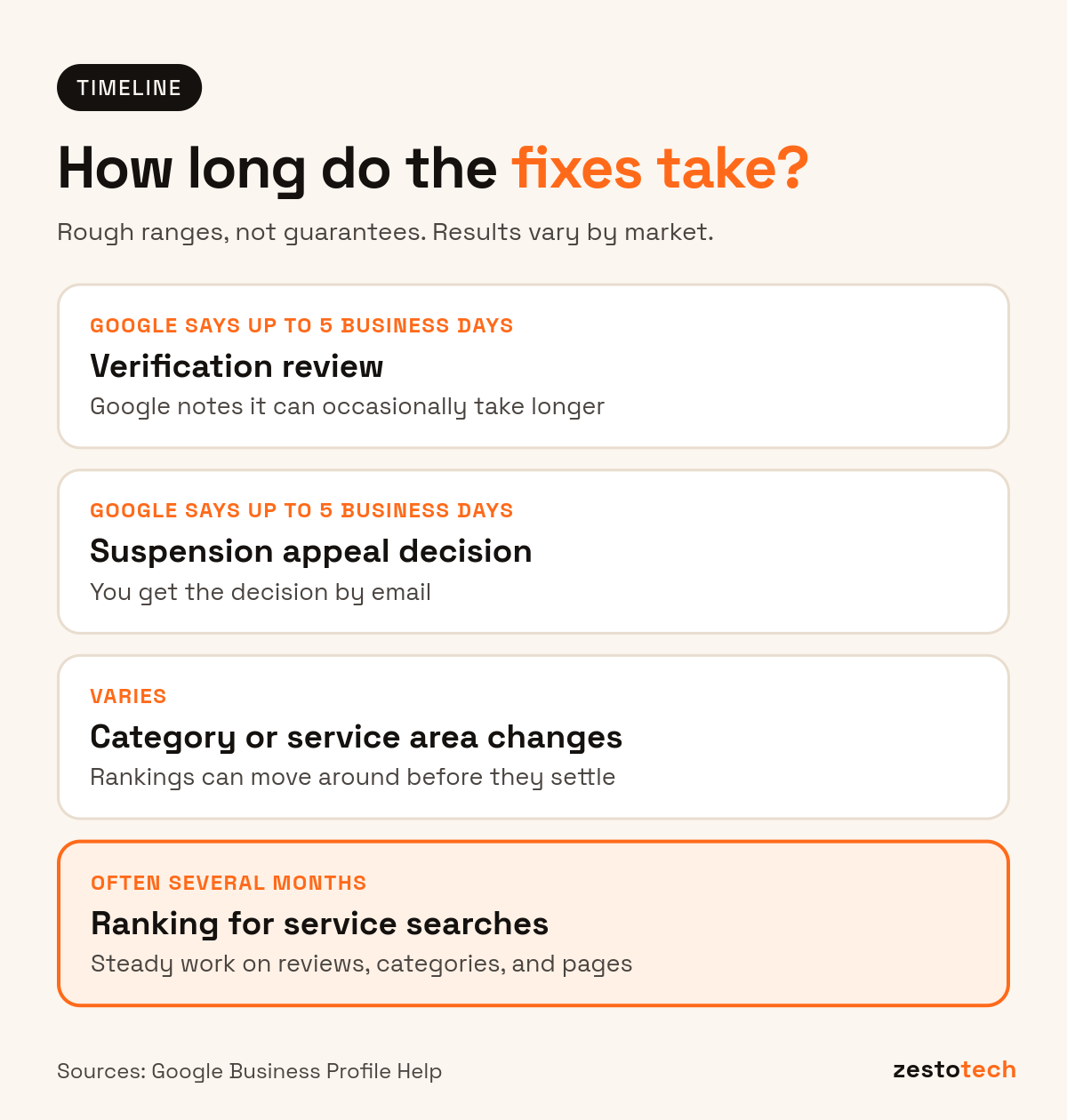
These are rough ranges, not guarantees. Results can vary by market and competition.
The practical takeaway: fix the setup problems first, since those can sometimes unlock visibility quickly. Then treat ranking as an ongoing project, not a one-time task. Our post on what local SEO costs covers what that ongoing work usually includes.
When to Get Help
Some fixes for a business not showing up on Google Maps can be handled in an afternoon. Verification, categories, service areas, and asking for reviews don’t need an agency.
It can make sense to bring in help when:
- Your profile is suspended and you’re not sure what caused it.
- You’ve fixed the setup, but you still don’t show for service searches after a few months.
- You don’t have time to keep up with reviews, posts, and website updates every month.
- Competitors keep outranking you and you can’t tell why.
At Zestotech, we work with home service businesses on exactly this: setting up and managing Google Business Profiles, building service pages that support them, and tracking where you actually rank across your service area. See our local SEO services for details.
Not sure which of the 9 problems you have? Get a free local SEO audit and we’ll show you where your profile stands and what to fix first.
Get a Free Local SEO Audit → Chat on WhatsApp
Frequently Asked Questions
Why does my business only show up when I search the exact name?
Google can match a brand search to one obvious profile. For service searches like “roofer near me,” it compares many businesses on relevance, distance, and prominence. Showing only for your name often means your profile is live but may not be strong enough to beat nearby competitors.
How long does it take for a new business to appear on Google Maps?
Google says verification reviews can take up to 5 business days, and occasionally longer. Ranking for service searches tends to take much longer, often several months of consistent work on reviews, categories, and your website.
Does hiding my address hurt my Google Maps ranking?
If customers don’t visit your location, Google’s guidelines say you should hide your address. Showing it anyway can put the profile at risk of suspension. Service-area businesses with hidden addresses can still appear in local results.
Why did my business disappear from Google Maps?
Possible causes include a suspension, a recent edit under review, a duplicate profile, or a guideline issue like extra keywords in the business name. Check your Business Profile dashboard and Google’s appeals tool for notices.